
Showing all 4 results
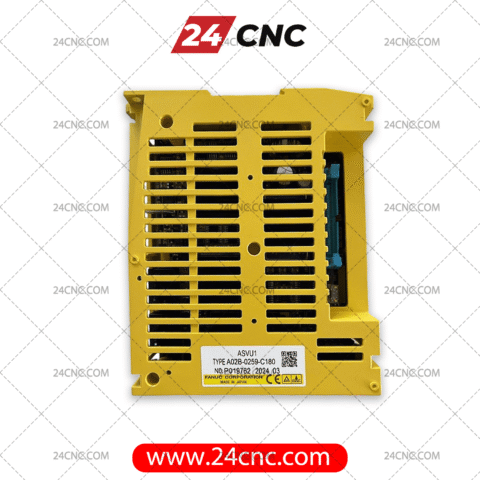


The central nervous system of any high-performance industrial CNC machine relies on seamless communication between the main controller and its peripheral devices. At the heart of this data exchange is the Fanuc™ I/O Module (Fanuc module). These critical Input/Output modules serve as the bridge between your Fanuc™ controller and the physical world of limit switches, Fanuc sensors, relays, and actuators. When a module fails, your machine effectively goes blind, halting production and causing catastrophic downtime.
At 24cnc.com, we understand that industrial automation requires uncompromising reliability. A damaged communication port, a blown internal relay, or an optocoupler failure inside your Fanuc module can trigger a cascade of mysterious alarms on your LCD panel. That is why we specialize in supplying authentic, OEM-grade Fanuc spare parts. Whether you are operating an older Fanuc 0i-Mate series or the latest state-of-the-art 31i-B system, we have the exact replacement hardware you need.
Navigating the secondary market for CNC parts can be risky. Refurbished units with degraded solder joints or counterfeit modules can lead to erratic machine behavior, posing a severe safety risk to your operators and threatening to damage expensive main boards. When you check the replacement Fanuc I/O module price and buy from our platform, you are guaranteeing that your facility receives rigorous, quality-tested components designed for the harshest workshop environments.

Why Procurement Professionals Choose Us for Fanuc Modules
Sourcing the correct electrical components for industrial CNC machinery requires a partner who understands the technical nuances of automation architecture. Workshop managers, maintenance engineers, and corporate buyers globally trust 24cnc.com. Here is why we lead the market in CNC spare parts:
📦 Unrivaled Fanuc Inventory
We maintain an extensive, live-stock warehouse dedicated to Fanuc module variants, alongside essential complementary parts like Fanuc power supplies and Fanuc drives. We eliminate agonizing backorder waiting times.
🛡️ Guaranteed OEM Authenticity
Substandard parts cause machine crashes. Every I/O unit, Fanuc IC hybrid, and logic board we ship is guaranteed genuine. We deliver the identical OEM quality your machine was originally built with.
✈️ Global Express Shipping
A blown I/O module costs you hourly revenue. We leverage top-tier global logistics networks to dispatch critical components—from tiny fuses to heavy servo motors—directly to your factory floor, anywhere in the world.
🔧 Dedicated Technical Support
Are you dealing with an I/O Link communication error? Our specialized engineers can assist you in verifying if the fault lies in the module itself, or if you simply need replacement optical cables to restore signal integrity.

The Professional Buyer’s Guide: How to Identify Your Fanuc I/O Module
Ordering the exact replacement Fanuc module is vital. Fanuc utilizes a vast array of distributed I/O systems (such as the Series 90-30, VersaMax, and proprietary I/O Link units). Installing a module with incorrect sinking/sourcing logic or mismatched voltage can permanently short-circuit connected sensors and operator panels.
Follow these technical steps to ensure flawless compatibility before requesting a quote:
- Locate the Fanuc Part Number (A03B- / A02B-): The most crucial piece of information is the factory part number printed directly on the yellow or black plastic casing of the module. Fanuc I/O module part numbers typically begin with A03B- (e.g., A03B-0819-C011) or A02B-. Always provide the full alphanumeric string.
- Verify the Module Type (Digital vs. Analog): Determine if your machine requires a Digital Input (DI), Digital Output (DO), or an Analog (A/D or D/A) conversion module. Check your machine’s electrical schematics to confirm the exact channel count (e.g., 16-point, 32-point).
- Check the Communication Protocol: Modern Fanuc systems utilize high-speed fiber optics (FSSB) or proprietary I/O Link networks. If your module connects via optical lines, ensure your CNC cables are undamaged. A crimped fiber optic line can mimic the symptoms of a dead module.
- Identify the Associated Hardware: Take note of what the module connects to. Is it interfacing with the operator’s Fanuc keyboard/panel, a manual pulse generator (MPG), or external relays? This contextual information helps our engineering team cross-reference the correct replacement CNC part instantly.

Technical Overview: CNC Input/Output Modules
While Fanuc is a dominant force, many workshops operate mixed fleets. Understanding the fundamental architecture of different brand modules helps in troubleshooting cross-platform. Below is a quick comparison of the major control system I/O topologies available in our catalog.
| System Ecosystem | Common I/O Network | Form Factor / Mounting | View Category |
|---|---|---|---|
| Fanuc Series | Fanuc I/O Link, FSSB (Optical) | DIN rail mounted, rack backplanes, Operator panel integrated | Shop Fanuc I/O |
| Siemens Sinumerik | PROFINET, PROFIBUS DP | SIMATIC S7-300/1500 style racks, ET200S distributed nodes | Shop Siemens |
| Mitsubishi MELDAS | CC-Link, SSCNET | Compact block type, base unit plug-in | Shop Mitsubishi |
Frequently Asked Questions (FAQ): Fanuc I/O Modules
Eliminate Machine Downtime Today
Do not let a faulty I/O module bottleneck your production line. Browse our comprehensive inventory of genuine Fanuc hardware. Confirm your replacement Fanuc module price, check live availability, and get your machine running flawlessly again. Our technical procurement team is ready to process your order immediately!
Request a Quote & Check Live Stock
Authentic OEM Parts | Worldwide Priority Shipping | Dedicated Automation Experts