
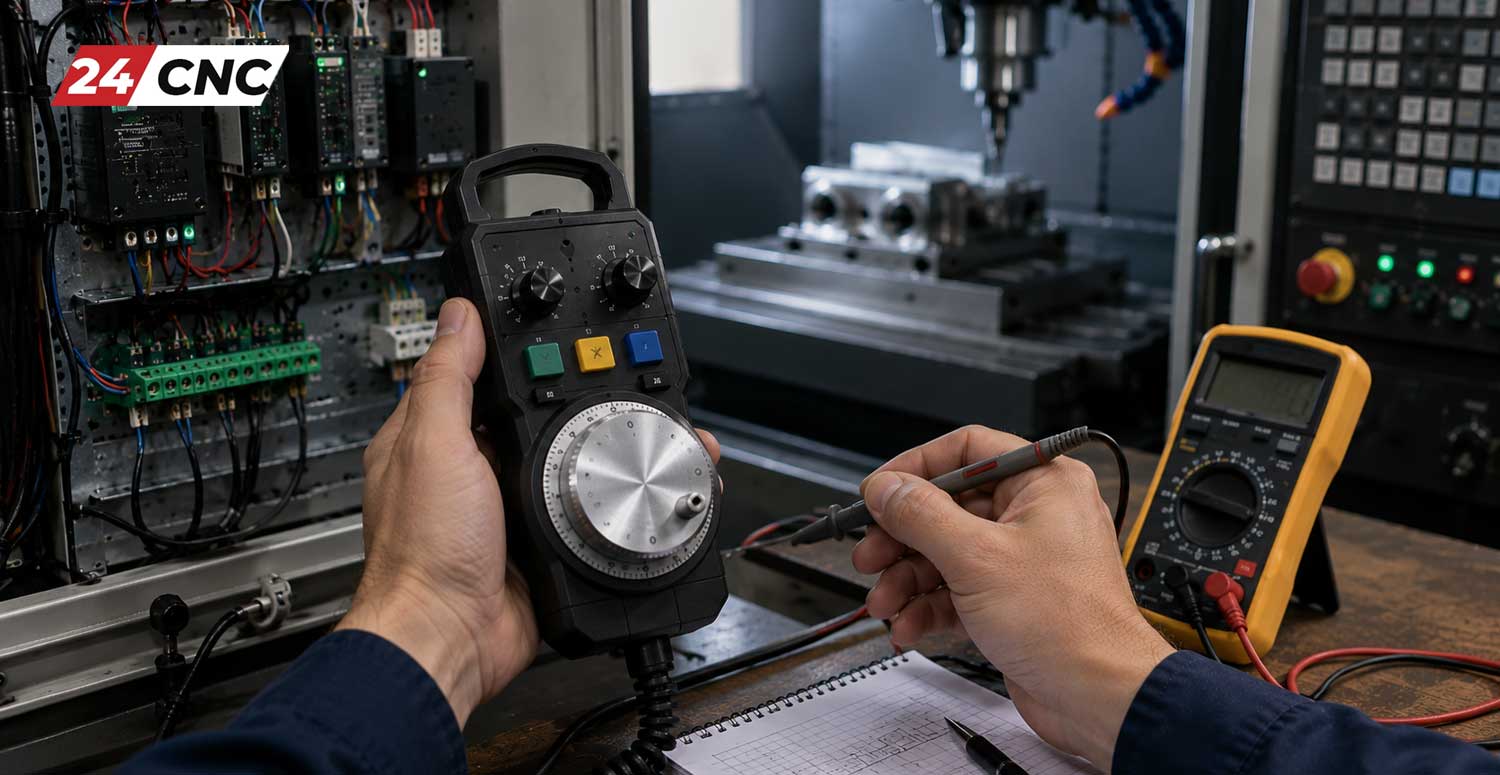
Manual Pulse Generators (MPGs), commonly referred to in the machining industry as CNC handwheels, are indispensable, precision-critical tools for machine operators. Whether you are running a 3-axis milling machine, a complex 5-axis machining center, or a heavy-duty CNC lathe, the handwheel is your primary interface for delicate, tactile control. They allow for precise, manual control over machine axes during setup, offset configuration, edge finding, and delicate positioning tasks where computer-controlled rapid movements pose a risk of tooling collisions.
However, like any sophisticated electromechanical device operating in harsh industrial environments—surrounded by pervasive fine metal dust, aggressive synthetic coolants, and constant mechanical vibration—handwheels and their internal pulse generators are highly susceptible to wear, physical damage, and complex electrical issues. When an MPG malfunctions, it can abruptly halt production, lead to disastrously inaccurate setups, or even cause costly machine crashes that damage spindles and ruin expensive workpieces.
In this deep-dive, comprehensive guide, we will thoroughly explore the underlying technology of these devices, detail the common problems associated with CNC handwheels, explain how to accurately diagnose them using standard shop tools, and provide step-by-step troubleshooting procedures to get your control system back to peak, reliable performance.
Understanding the Anatomy and Physics of an MPG
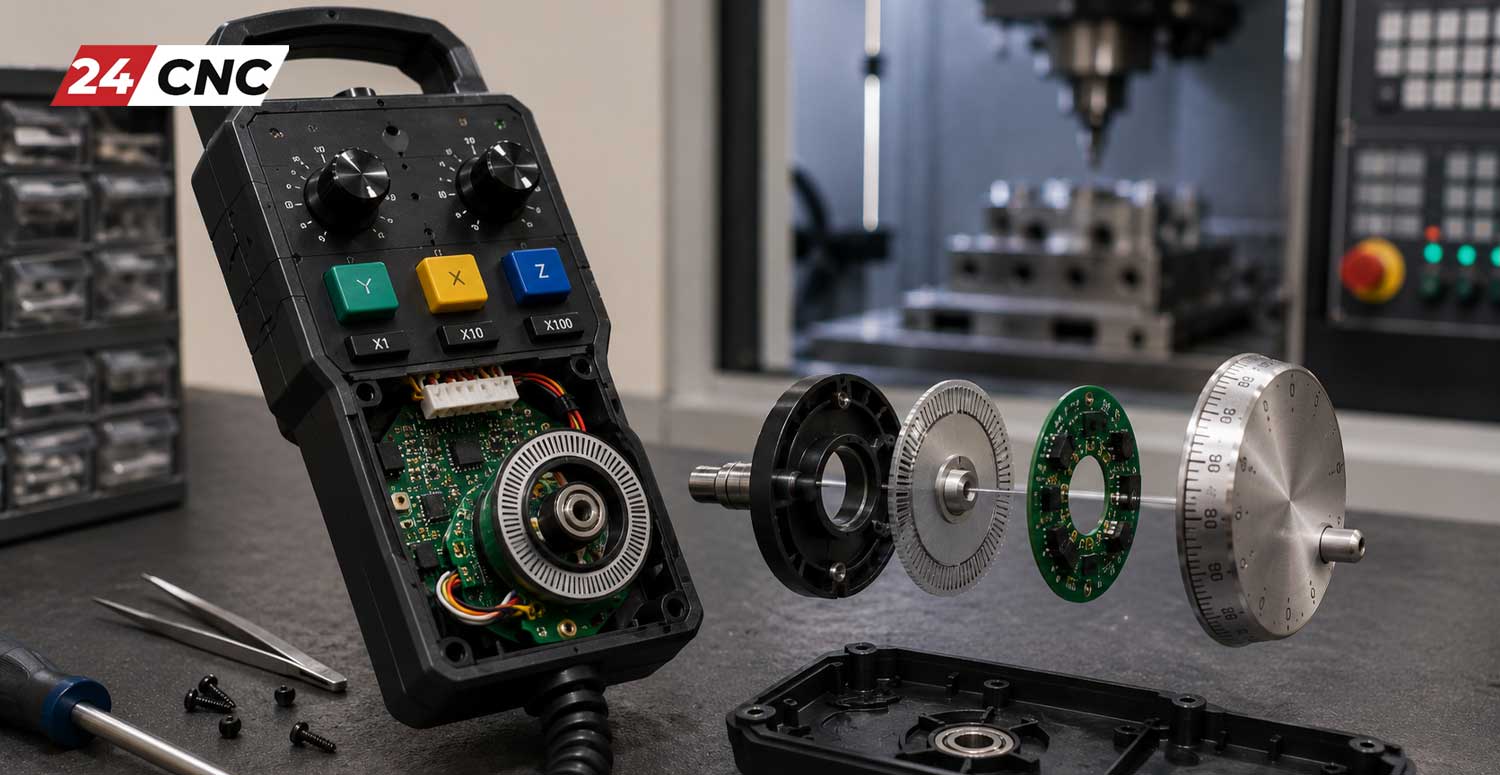
Before diving into advanced troubleshooting, it is essential to understand exactly how a Manual Pulse Generator (MPG) functions on an electronic level. At its core, an MPG contains a highly sensitive rotary encoder. As the operator turns the tactile dial, the internal encoder translates that mechanical rotation into a series of square-wave electrical pulses. These precise pulses are transmitted through the handwheel cable to the CNC controller’s I/O board, which then commands the servo drives to execute microscopic motor movements.
A standard industrial MPG unit typically consists of the following integrated subsystems:
- The Rotary Dial & Detent Mechanism: The physical wheel the operator interfaces with. It includes a mechanical detent (a spring-loaded ball bearing mechanism) that provides the “click” feel, usually equating to 100 clicks per full revolution.
- The Encoder Core: The internal component (usually relying on optical or magnetic principles) generating the digital pulses.
- Axis Selector Switches: Rotary or membrane switches used to dictate which machine axis (X, Y, Z, 4th, 5th, etc.) will receive the movement commands. These heavily rely on robust handwheel selector switches.
- Multiplier (Resolution) Selectors: Switches determining the scaling of the movement per click (e.g., x1 for $0.001mm$, x10 for $0.01mm$, x100 for $0.1mm$).
- Enable/Deadman Switch: A critical safety button located on the side or back of remote pendants that must be depressed for the handwheel to transmit signals, preventing accidental bumps.
- Cabling, Shielding, & Connectors: The multi-core wiring, wrapped in a braided copper shield to prevent electrical interference, that transmits these low-voltage signals to the CNC control board.
Deep Dive: Quadrature Signals and Pulse Calculation
To diagnose issues properly, one must understand Quadrature Signals. An MPG outputs two primary signal channels, typically labeled Channel A and Channel B. These are $5V$ or $12V$ DC square waves offset by 90 degrees (a quarter of a cycle). The CNC controller reads these two channels to determine not just the distance moved, but the direction of the rotation.
If Channel A leads Channel B, the controller registers a clockwise movement (positive direction). If Channel B leads Channel A, it registers counter-clockwise movement (negative direction). To calculate the signal frequency generated by rapid handwheel spinning, engineers use the following mathematical relationship:
Where $f$ is the frequency in Hertz, $RPM$ is revolutions per minute of the dial, and $PPR$ is Pulses Per Revolution (typically 100 for a standard MPG). If an operator spins a 100 PPR handwheel at 120 RPM, the generated frequency is $200 Hz$. If the machine’s input filter is set too low, it will drop these pulses, causing inaccurate positioning.
Common CNC Handwheel Issues & Diagnostic Symptoms
1. Axis Jumping, Runaway, or Erratic Movement
One of the most dangerous and alarming issues an operator can face is turning the handwheel a single click, only for the machine axis to jump unpredictably, move in the wrong direction briefly, or continue moving after the dial has stopped. This is predominantly caused by Electromagnetic Interference (EMI) signal noise, a failing internal incremental encoder, or heavily compromised cable shielding. If the controller receives distorted or phantom pulses, it misinterprets the data. A broken ground wire inside the coiled cord often turns the handwheel into an antenna, picking up noise from the machine’s high-voltage spindle drives.
2. Total Non-Responsiveness (Dead Axis or Dead Unit)
If turning the dial produces absolutely no movement on a specific axis, but works on others, the problem almost exclusively lies within the axis selector switch contacts or a specific broken wire dedicated to that axis inside the cable. If no axes respond whatsoever, the entire MPG unit might be lacking power. The main $5V$ or $24V$ DC power supply line to the pendant could be severed, or there could be a catastrophic failure at the primary connector panel where the pendant interfaces with the machine.
3. Missing Steps, Lagging, or Inaccurate Positioning
When you carefully turn the handwheel ten clicks but the machine’s digital readout (DRO) only registers eight, the MPG is actively dropping pulses. This is frequently due to environmental contamination. Dirt, atomized coolant, or way oil can infiltrate the optical disc inside the encoder, partially obscuring the delicate light sensor. Alternatively, this lag can occur if the handwheel is spun faster than the controller’s baud rate or PLC scan time can process, especially on older legacy machines.
4. Sticky, Grinding, or Hard-to-Turn Mechanical Dial
This is a purely mechanical issue where the dial lacks its crisp, defined clicky feel, feels “mushy,” or requires excessive force to rotate. This directly indicates mechanical wear of the internal spring-loaded detent mechanism, or severe contamination (like dried sticky coolant residue or abrasive fine metal dust) that has packed itself inside the main bearing of the pulse generator shaft. Ignoring this will eventually lead to catastrophic failure of the encoder shaft.
Advanced Step-by-Step Troubleshooting Guide
When an MPG fails, a systematic diagnostic approach is required to isolate the faulty component without unnecessarily replacing expensive parts.
Phase 1: Visual Inspection and Cable Continuity (The Most Common Culprit)
The coiled, retractable spiral cable of a remote handwheel is subjected to immense physical abuse. It is stretched, stepped on, pinched in doors, and constantly coated in cutting fluids that degrade the rubber jacket.
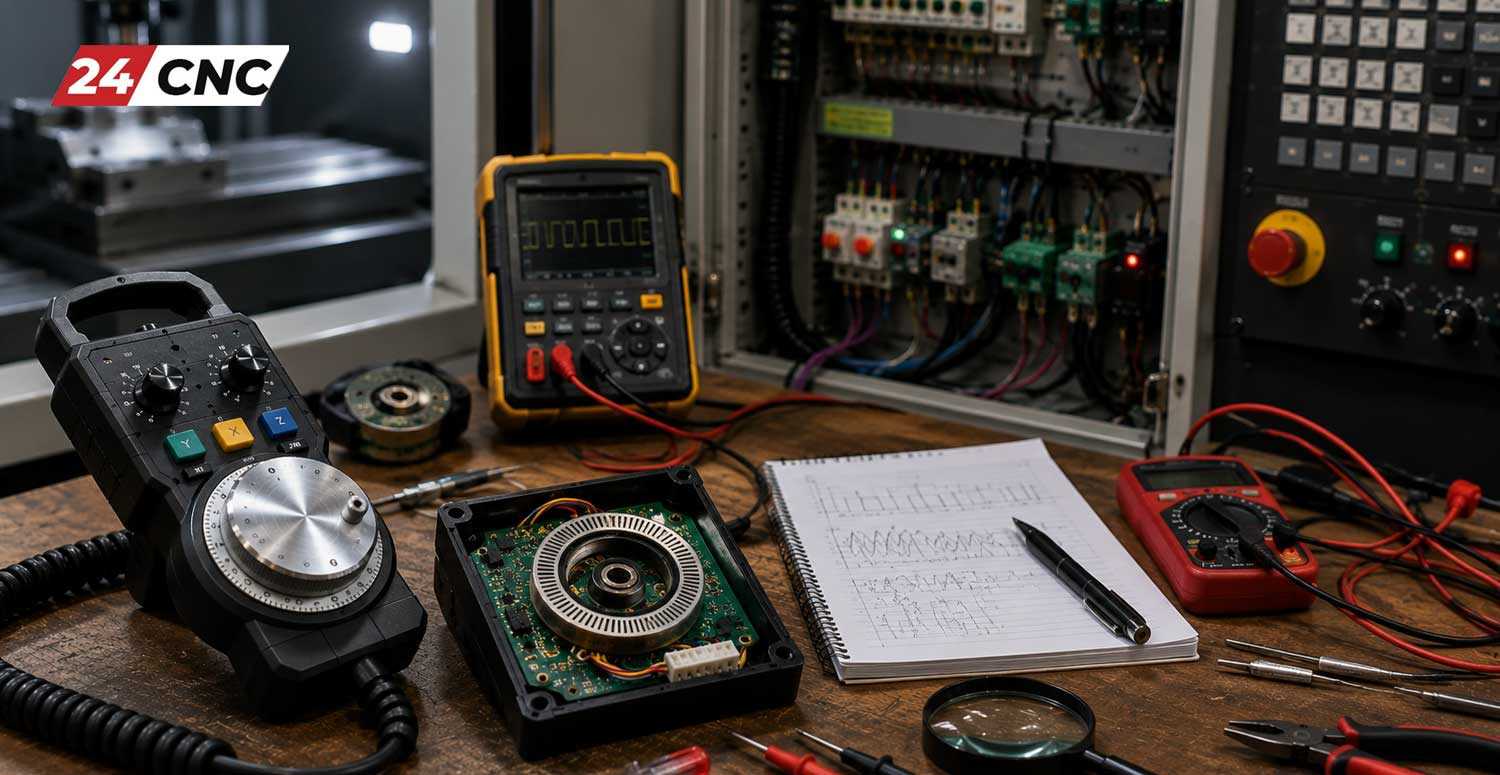
Begin by performing a rigorous visual inspection for cuts or crimps. Next, use a digital multimeter set to continuity mode. You must check the continuity of every single pin from the MPG internal solder joints to the end of the connector plugging into the machine. Crucially, you must gently stretch and wiggle the cable while testing. A microscopic break in the copper wire will often make contact when relaxed, but break connection when the operator stretches the pendant to look inside the machine enclosure. This intermittent open circuit is the leading cause of erratic machine jumping.
Phase 2: Verifying Selector Switches and Enable Buttons
If only the Z-axis fails, or only the x100 multiplier fails, the rotary selector switch is the prime suspect. Disassemble the pendant housing and use a multimeter to verify that the switch is properly closing the circuit with near-zero ohms of resistance when turned to the problematic position. Over time, electrical arcing or oil ingress can coat switch contacts in a non-conductive film. Desoldering and replacing a faulty 6-mode selector switch is a highly cost-effective repair compared to replacing the entire OEM pendant.
Phase 3: Analyzing the Pulse Generator with an Oscilloscope
If the cable, shielding, and switches are flawless, but the machine drops steps, the internal encoder must be tested. While a multimeter can show voltage fluctuating as you turn the dial slowly, it cannot show signal quality.
Using a portable digital oscilloscope, probe the Channel A and Channel B outputs. As you turn the dial, you should observe perfectly crisp, vertical-edged square waves transitioning between $0V$ and the logic level (e.g., $5V$). If the waveforms are rounded, jittery, exhibit excessive “ringing” on the edges, or are dropping completely at certain rotational angles, the encoder’s internal optics or electronics are failing. Note: Ensure you replace a faulty encoder with an exact protocol match, such as a Fanuc™ specific $5V$ Line Driver type or a Siemens compatible pulse generator, as mixing voltage levels or output types (Open Collector vs. Line Driver) will damage the CNC control board.
Phase 4: Evaluating Controller Parameters and I/O Modules
If the handwheel tests perfectly on the bench, the issue resides within the machine’s electrical cabinet. Navigate to the CNC controller’s hidden diagnostic or PLC ladder logic screens. Observe the specific memory addresses (X or Y bits) assigned to the handwheel inputs. As you turn the dial or switch axes on the pendant, you should see these bits rapidly changing state (0 to 1) on the screen. If the diagnostic screen shows the signals arriving perfectly, but the servo drives do not respond, the machine parameters may have been corrupted, the machine might be stuck in a feed-hold interlock, or the Input/Output module card processing the MPG signals has a blown optocoupler and requires replacement.
Technical Comparison: MPG Encoder Technologies
When selecting a replacement MPG, understanding the core technology generating the pulses is vital for matching the component to your workshop’s environment. The two primary technologies are Optical and Magnetic.
| Technical Feature | Optical Pulse Generators | Magnetic Pulse Generators |
|---|---|---|
| Core Mechanism | Relies on an LED emitter passing light through a microscopically slotted glass or plastic disc to a photodiode receiver. | Utilizes Hall-effect sensors or magnetoresistive elements to detect microscopic changes in a rotating multi-pole magnetic wheel. |
| Precision & Tactile Feel | Offers extremely high precision and typically features a very crisp, distinct mechanical detent feel loved by machinists. | Provides excellent precision, though older models historically had slightly more hysteresis. Modern magnetic MPGs are nearly indistinguishable from optical. |
| Environmental Vulnerability | Highly vulnerable to environmental ingress. Fine dust, evaporated oil, or condensation blocking the optics will immediately cause skipped pulses. | Exceptional robustness against non-magnetic contamination. Dust, dirt, and heavy oil do not affect the magnetic field transmission. |
| Physical Durability | Glass encoder discs can literally shatter if the pendant is dropped onto a concrete shop floor. | Superior resistance to extreme mechanical shock and constant heavy machine vibration. |
| Ideal Workshop Application | Standard, relatively clean workshop environments, toolrooms, and ultra-high-precision grinding or micromachining setups. | Harsh environments, heavy high-speed milling, cast iron machining, open-air setups, and shops prone to operator accidents. |
Preventive Maintenance Best Practices
To maximize the lifespan of your CNC handwheels and avoid unexpected downtime, implement these simple preventive maintenance habits:
- Proper Hanging: Never let the pendant hang by its cable. Always use the provided magnetic bracket or cradle. Letting it hang stretches the internal wires and ruins the coiled memory of the cable.
- Chemical Isolation: Keep the pendant away from direct coolant spray. While many are IP65 rated, prolonged exposure to synthetic coolants will eventually degrade the rubber seals and cable jacketing, causing them to become brittle and crack.
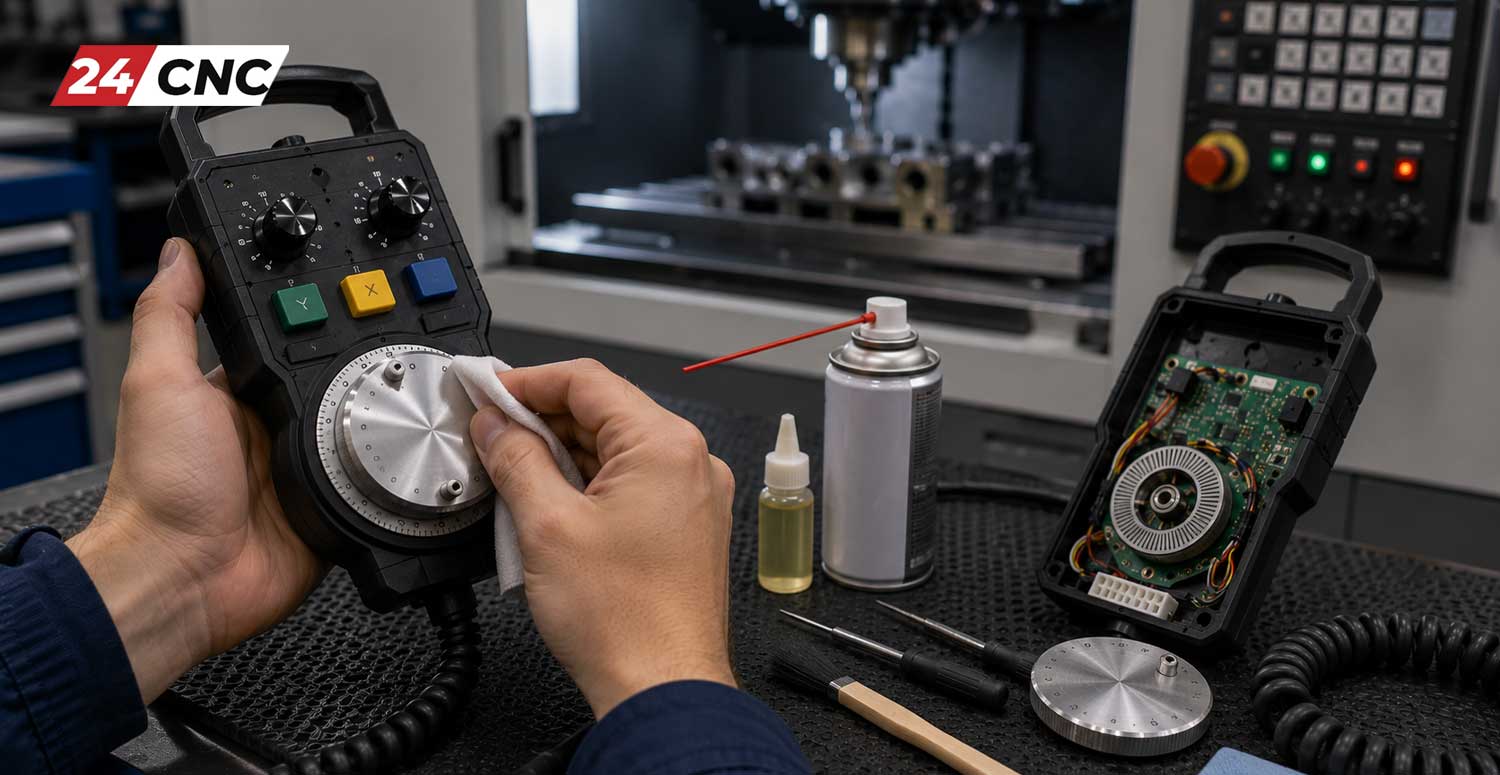
- Routine Cleaning: Wipe down the pendant housing daily with a mild cleaner. Do not use high-pressure compressed air to blow chips off the handwheel; this forces microscopic metal dust and moisture past the shaft seals and directly into the encoder bearings.
Frequently Asked Questions (FAQ)
Why does my machine axis move in the wrong direction when using a newly installed MPG?
If the machine axis flawlessly moves, but in the exact opposite direction to your dial rotation, the A and B phase wires (the quadrature signals) have been swapped. This is incredibly common after a DIY cable repair or when installing an aftermarket, non-OEM replacement encoder that uses different wire color coding. Simply desoldering and swapping the A and B signal wires will instantly reverse the direction back to standard.
Can I manually repair a broken optical encoder inside my handwheel?
In industrial settings, the answer is generally no. If the internal optical disc is shattered, scratched, or the delicate LED/photodetector array has burned out, it is neither cost-effective nor safe to repair it at the micro-component level. A poorly repaired encoder can send erratic signals and crash a machine. It is strongly recommended to replace the entire internal MPG module to guarantee factory calibration, perfect signal timing, and operator safety.
How do I safely clean a sticky handwheel dial without causing electrical damage?
If the dial is physically sticking due to external grime, carefully use an Allen wrench to remove the outer plastic knob. Use a high-quality, fast-evaporating electrical contact cleaner or a 99% isopropyl alcohol solution gently around the exposed metal shaft and bearing. Crucially, do not flood the unit with solvent or WD-40. Excessive liquid will seep past the bearing seals, enter the encoder housing, permanently blind the optical sensors, and wash away the specialized grease required for the detent mechanism.
Are wireless MPGs as reliable as wired handwheels?
Wireless MPGs offer incredible convenience, especially on massive bridge mills or gantry machines where dragging a 10-meter cable is hazardous. However, they rely on radio frequencies (often 2.4GHz or 433MHz) which can be susceptible to interference from TIG welders, overhead cranes, or massive spindle drives in dense shop environments. For ultra-critical setups where zero signal lag is demanded, a high-quality shielded wired connection remains the gold standard for absolute reliability.
Conclusion
Proactive maintenance and swift troubleshooting of your CNC handwheels are absolutely crucial for ensuring operator safety, preventing catastrophic tooling crashes, and maintaining stringent machining accuracy. By thoroughly understanding the symptoms of failing stretch cables, faulty selector switches, and degraded internal pulse generators, you can rapidly diagnose issues on the shop floor and drastically minimize machine downtime. Always ensure you are replacing components with high-quality, properly shielded cables and correctly voltage-rated MPGs that are fully compatible with your specific CNC controller architecture.
Need Reliable Replacement Parts to Minimize Downtime?
Don’t let a faulty handwheel or severed cable slow down your shop’s production schedule. Browse our extensive, high-quality inventory of premium CNC components. We stock everything from genuine, brand-compatible MPGs and tactical selector switches to ultra-durable, oil-resistant coiled cables engineered specifically for the harshest machining environments.
Leave a comment
Your email address will not be published. Required fields are marked *