
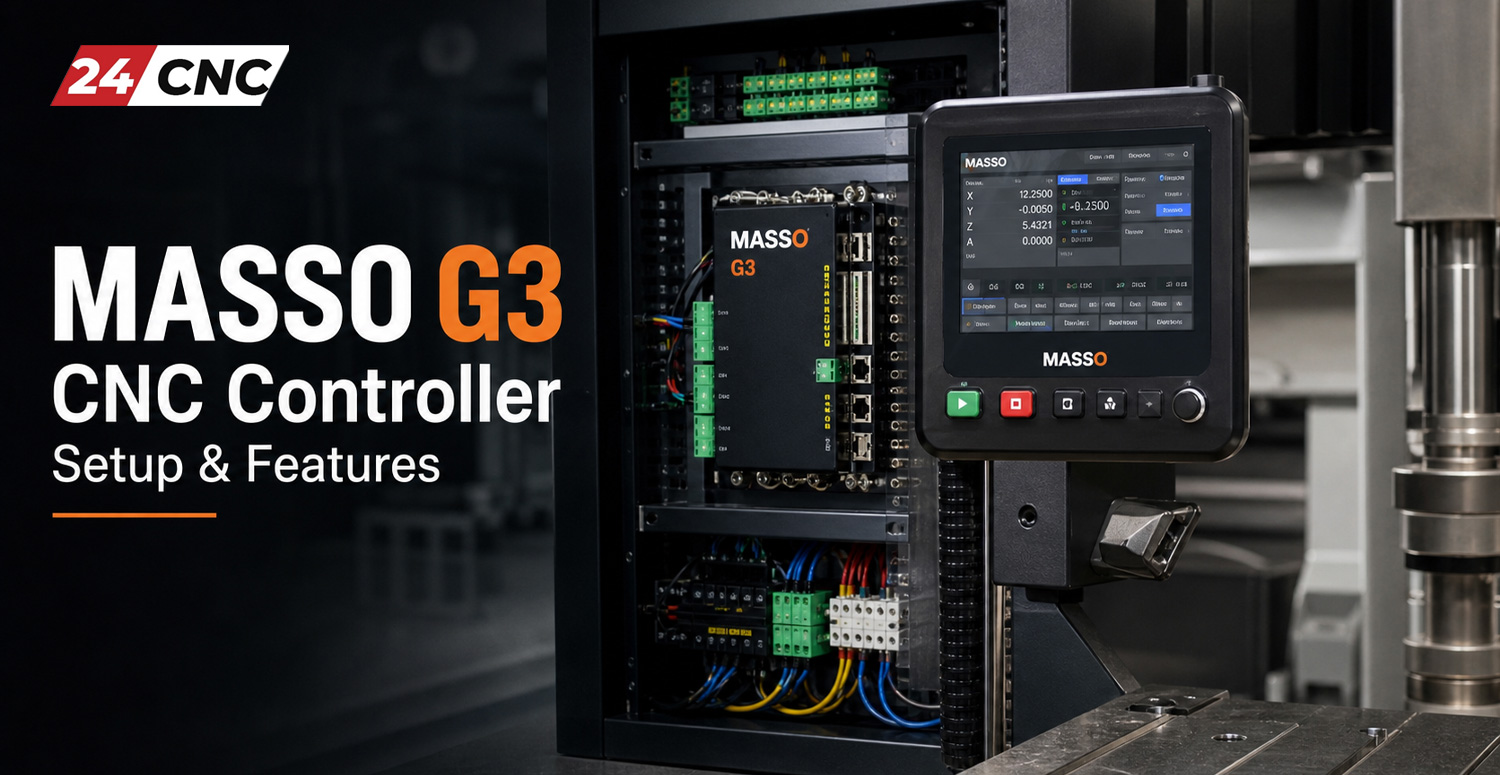
In the domain of modern CNC machining, machine builders and retrofitting engineers have historically faced a difficult compromise: endure the vulnerability, latency spikes, and operating system updates of personal computer-based software controllers (such as Mach3, Mach4, or LinuxCNC), or invest substantial capital in proprietary, closed-architecture industrial CNC hardware. The MASSO G3 and MASSO G3 Touch controllers engineered by Hind Technology bridge this divide by delivering an industrial-grade, fully dedicated standalone hardware motion controller that operates without an external PC, secondary breakout boards, or motion cards. If you are assessing different architectures for your shop, comparing standalone platforms with traditional CNC control system designs illustrates why purpose-built hardware has become the modern standard for reliability.
Operating entirely on internal embedded firmware, MASSO G3 bypasses Windows OS background interruptions, USB buffer under-runs, and parallel port jitter. Whether you are running a 3-axis router, a multi-axis mill with dual-drive gantry auto-squaring, an industrial plasma cutter with torch height control (THC), or a 5-axis simultaneous machining center, understanding the intricate electrical wiring, configuration logic, and functional features of the MASSO G3 platform is essential for maximizing precision and uptime. This technical guide delivers an exhaustive, component-level breakdown of the MASSO G3 ecosystem, covering hardware wiring, parameter calibration, spindle and tool changer logic, and operational best practices.

Core Hardware Specifications & Standalone Architecture
At the center of the MASSO G3 architecture is an integrated multi-core hardware processor paired with an FPGA-driven pulse engine. Unlike traditional PC-based platforms that require an expansion card or USB/Ethernet smoothstepper, the MASSO G3 generates step and direction pulses directly at hardware clock speeds. This guarantees jitter-free pulse streams up to 110\text{ kHz} simultaneously across all supported axes.
- Dedicated Embedded OS: Boots in under 5\text{ seconds} from cold power-on. The system runs real-time motion control algorithms entirely isolated from commercial computer vulnerabilities, eliminating unexpected OS updates, virus scanning spikes, or display driver crashes mid-job.
- Direct Video Output & HMI: The standard MASSO G3 features a direct SVGA/VGA video port supporting resolutions up to 1024 \times 768 and higher, connecting directly to industrial monitors or standard displays. Peripheral interaction is handled natively via integrated USB ports for mouse, standard keyboard, and flash drives.
- Optoisolated Industrial I/O: Standard MASSO G3 units feature up to 24 optoisolated digital inputs and 18 assignable digital outputs, operating natively on 12\text{V} to 24\text{V DC}. Every terminal features integrated optical isolation to withstand industrial electrical noise, high voltage transients, and electrostatic discharge (ESD).
- Integrated Spindle Speed DAC: An onboard Digital-to-Analog converter delivers a precision isolated 0\text{–}10\text{V DC} reference voltage for Variable Frequency Drives (VFDs) and high-speed inverters, along with dedicated forward/reverse relay triggers and auxiliary PWM laser control signals.
MASSO G3 vs. MASSO G3 Touch vs. Traditional PC-Based Controllers
| System Feature | MASSO G3 (Standard) | MASSO G3 Touch | PC-Based (e.g., Mach4 / PC USB) | Industrial Standalone (Fanuc™/Siemens) |
|---|---|---|---|---|
| Host Dependency | None (Fully Standalone) | None (Integrated Touch Display) | Requires Windows/Linux PC | None (Dedicated CNC CPU) |
| Max Axis Control | 3, 4, or 5 Axes (Firmware-tiered) | 3, 4, or 5 Axes | Up to 6 Axes | 5+ Axes Continuous (RTCP) |
| Step Pulse Frequency | 110\text{ kHz} per Axis | 110\text{ kHz} per Axis | 25\text{ kHz} – 4\text{ MHz} (Device dependent) | Fieldbus (EtherCAT, Mechatrolink) |
| Immunity to EMI | Very High (Full Optoisolation) | Very High (Metal Sealed Bezel) | Low to Moderate (USB dropouts common) | Industrial Level / Mil-Spec |
| Integrated Tool Changer | Native Linear, Rotary & Umbrella | Native Linear, Rotary & Umbrella | Requires Custom VB/Lua Scripts | Ladder Logic / Macro Executer |
| File Loading Interface | USB Flash Drive & WiFi (MASSO Link) | USB Flash Drive & WiFi (MASSO Link) | Local Drive / Network Share | CF Card, Ethernet FTP, RS232 |
Electrical Wiring & Terminal Interfacing
The reliability of a MASSO G3 installation depends directly on correct electrical wiring, adherence to star grounding practices, and isolating low-voltage logic from high-power inductive circuits. Reviewing our technical breakdown of the essential components of a CNC machine provides a solid foundation before routing cabinet power.
Power Supply Requirements
MASSO G3 requires an external, clean regulated DC power supply delivering between 12\text{V DC} and 24\text{V DC} with a minimum continuous output rating of 1.5\text{ Amps} (2.5\text{ Amps} recommended if driving multiple optocoupled external relays directly from the board). It is critical that your 24V supply ground (0\text{V}) remains tied back to your electrical enclosure’s central star ground bus to prevent floating ground potentials.
Step and Direction Axis Wiring (Open-Loop vs. Closed-Loop)
Every axis header on the MASSO G3 (X, Y, Z, A, B) outputs single-ended 5\text{V} TTL step and direction pulses. The terminal layout provides discrete pins for:
S+(Step / Pulse)D+(Direction)GND(Logic Common / Return)
When interfacing with modern digital stepper drivers or an industrial servo motor drive (such as Yaskawa, Delta, or Mitsubishi), wire the drivers using a Common Cathode (Negative Common) configuration:
- Connect the drive’s
PUL-(orStep-) andDIR-(orDirection-) terminals together and route them to MASSO’s AxisGND. - Connect MASSO’s
S+terminal directly to the drive’sPUL+(orStep+). - Connect MASSO’s
D+terminal directly to the drive’sDIR+(orDirection+).
If your servo drives are prone to intermittent position loss during rapid acceleration stages, you may be experiencing signal corruption along your pulse train. Review our technical guide to fix shielded cable noise in servo encoders to isolate dynamic signal cross-talk.
Homing Sensors, Limit Switches & Auto-Squaring
All digital input terminals on the MASSO G3 accept signals from 12\text{V} to 24\text{V}. The inputs are internally pulled down and require a positive voltage signal to register high (PNP type logic). To connect inductive proximity sensors and hardware mechanical limit switches:
- PNP Proximity Sensors (Recommended): Connect sensor Brown wire to +24\text{V DC}, Blue wire to 0\text{V DC}, and Black wire (Signal output) directly into the designated MASSO input terminal.
- NPN Proximity Sensors: Because MASSO inputs require a high (+24\text{V}) pulse to trigger, using an NPN (sinking) sensor requires installing a pull-up resistor (typically 2.2\text{ k}\Omega to 4.7\text{ k}\Omega, rated at 1\text{ Watt}) bridged between the Black signal wire and the +24\text{V DC} supply rail.
- Dual-Axis Auto-Squaring (Y1 / Y2 or X1 / X2): MASSO G3 natively supports gantry squaring for machines utilizing independent drive motors on each side of the gantry. Wire a dedicated homing switch to each motor side independently (e.g., Input 1 to Y1\text{-Home} and Input 2 to Y2\text{-Home}). During homing routines, MASSO drives both motors simultaneously until the first sensor trips, then holds that motor while inching the opposite motor forward until its respective sensor trips, automatically eliminating gantry skew down to the sensor’s physical repeatability threshold.
For a detailed breakdown of switch architectures and wiring best practices, read our guide to CNC machine switches, sensors, and buttons.
Spindle Control & Variable Frequency Drive (VFD) Setup
The MASSO G3 provides dedicated terminals for spindle actuation and dynamic RPM control. This includes an analog 0\text{–}10\text{V} output, optoisolated CW (Clockwise) and CCW (Counter-Clockwise) relay contacts, and an optical spindle encoder feedback input for single-point threading on CNC lathes.
To wire a standard VFD (Delta, Fuling, or Sunfar):
- Connect the MASSO
PIN 1 (Analog Out)to the VFD’sAVI/AI1(0\text{–}10\text{V} Analog Voltage Input) terminal. - Connect MASSO
PIN 2 (Ground)to the VFD’sACM(Analog Common) using a shielded twisted-pair lead. - Connect MASSO
Spindle CWrelay output terminals across the VFD’s digital run command terminals (e.g.,FOR/FWDandDCM/COM). - In the MASSO Spindle Configuration screen, set the Maximum Spindle Speed matching the motor nameplate (e.g., 24,000\text{ RPM}) and assign the minimum operating speed (6,000\text{ RPM} for air-cooled spindles to avoid thermal overload at low fan speeds).
The controller dynamically scales the analog output voltage linear to the programmed G-code S-word:
V_{\text{out}} = \left( \frac{S_{\text{commanded}}}{S_{\text{max}}} \right) \times 10\text{V}
For an in-depth understanding of how the internal motion processor processes feed rates and speed commands, see our guide on how a CNC controller interprets G-code and M-code.

Mathematical Parameter Setup: Calibrating Steps Per Unit
Before commanding axis travel, the user must calibrate the Travel per Revolution or Steps Per Unit parameters within the MASSO G3 configuration menu. If your kinematic chain spans multiple axes, our reference on understanding CNC machine axes from 3-axis to 5-axis provides clarity on coordinate frames.
The basic mathematical relationship for a linear axis driven by a ball screw or rack-and-pinion transmission is:
K = \frac{P_{\text{rev}} \times R}{L}
Where:
- K = \text{Steps per millimeter (or inch)} required by the software.
- P_{\text{rev}} = \text{Pulses per revolution of the motor} (microstep setting on stepper drives, or electronic gear ratio equivalent for servo drives).
- R = \text{Mechanical gear reduction ratio} (\frac{\text{Input Speed}}{\text{Output Speed}}).
- L = \text{Linear distance traveled per revolution of the drive output} (pitch of the ball screw, or pitch circumference of the rack pinion).
Example: An axis equipped with a 10\text{ mm} lead ball screw (L = 10\text{ mm}), direct-coupled (R = 1) to a digital driver configured to 1600\text{ microsteps/rev} (P_{\text{rev}} = 1600):
K = \frac{1600 \times 1}{10} = 160\text{ pulses/mm}
In MASSO G3, navigate to F1 – Setup > Axis Settings. Select the target axis, assign the Drive Pulses per Revolution (1600) and Feed per Revolution (10\text{ mm}), and MASSO internally handles the real-time fractional scaling without rounding errors.
Automated Tool Management & Touch Probes
MASSO G3 includes dedicated native routines for automated tool length offset compensation, touch probes, and Automatic Tool Changers (ATC) without requiring user-written macros.
Auto Tool Zero (Fixed Tool Setter)
Unlike basic software where operators manually zero every cutter upon tool swaps, MASSO utilizes a dual-sensor referencing philosophy:
- A Fixed Touch Plate is permanently bolted to a known coordinate on the machine bed outside the primary machining envelope.
- A Mobile Touch Probe (or zero plate) sits on top of the workpiece material to establish the primary Z-zero datum (G54).
- During setup, MASSO measures the tool on the work surface, retracts, travels to the fixed plate, and records the calibrated reference delta.
- Upon executing an
M6tool change later in the G-code sequence, the spindle automatically returns to the fixed touch plate, measures the new tool’s physical length difference, updates the dynamic tool offset table (G43), and resumes cutting at the exact programmed depth without manual re-zeroing.
Automatic Tool Changer (ATC) Integration
The firmware houses built-in, pre-programmed logic for multiple tool changer types:
- Linear Tool Rack: Tools are aligned along the X or Y axis in fixed tool forks (ISO30, BT30, HSK). Parameters configure fork spacing, drawbar pneumatic unclamping outputs, tool sensor feedback inputs, and dust hood actuation relays.
- Rotary Turrets & Carousels: Driven via an auxiliary rotary axis or geneva mechanism with physical index sensors and pneumatic locking pistons.
- Manual Tool Change with Auto Zero: If the machine lacks a pneumatic drawbar spindle, MASSO halts program execution on
M6, moves the spindle to a user-defined tool change position, waits for manual bit exchange and an operator cycle-start input, and automatically re-probes the tool length before resuming spindle rotation.
Adding an MPG Handwheel & Remote Pendant
While the MASSO G3 Touch interface offers jog buttons, an industrial external MPG handwheel is invaluable for setting work zero datums and feeling cutter engagement during setup.
MASSO G3 features a dedicated multi-pin MPG port supporting standard differential or single-ended quadrature encoders (A, B signals generating 100\text{ PPR}), along with hardware rotary switches for axis selection (X, Y, Z, 4, 5) and resolution multipliers (\times 1, \times 10, \times 100). For installation details and pinouts, refer to our step-by-step walkthrough on wiring and installing a CNC handwheel. If an axis jumps or misses counts during rapid rotation, check our troubleshooting manual on troubleshooting common issues with CNC handwheels and pulse generators.
Software Workflow, WiFi Networking & MASSO Link
Running jobs on a standalone controller traditionally involved walking back and forth between CAD/CAM workstations and the machine with USB memory thumb drives. MASSO circumvents this through integrated WiFi connectivity and the MASSO Link desktop utility.
- Wireless File Transfer: MASSO Link installs on Windows, macOS, or Linux. Once paired with the controller’s local IP address, CAD/CAM post-processors can save G-code directly into a shared network folder that automatically syncs to the USB drive mounted in the MASSO controller.
- Real-Time Remote Monitoring: MASSO Link displays live feed rates, spindle speed, active line numbers, and remaining run times across your local network without running cloud services.
- Post-Processor Compatibility: Standard Fanuc post-processors work out of the box with MASSO G3 firmware. Dedicated MASSO post-processors are natively available for Autodesk Fusion 360, Vectric Aspire/VCarve, Mastercam, SolidCAM, and RhinoCAM.

Troubleshooting Common MASSO G3 Operational Issues
“E-Stop Condition Detected” Won’t Clear
If the controller refuses to leave the Emergency Stop state upon power-up, navigate to the F1 – Setup > Inputs screen. Find the E-Stop input row. MASSO requires an active-low (Normally Closed) circuit for industrial fail-safe compliance. If your physical button is normally closed but the indicator shows triggered (Red), press the Spacebar while highlighting the input in the software to invert the logic polarity.
Motor Stalling During High-Speed Rapid Moves
Because the MASSO G3 outputs extremely crisp, square TTL pulse waveforms up to 110\text{ kHz}, step-loss during rapid traverse moves typically points to either acceleration overshoot or exceeding the maximum input pulse frequency of your stepper driver. In Axis Settings, reduce the maximum acceleration parameter by 20\text{–}30\%, verify that the commanded rapid speed does not demand pulses higher than the driver’s optocoupler bandwidth, and ensure motor power cabling is isolated from signal lines.
Spindle Runs at Maximum Speed Regardless of Commanded S-Word
This is almost universally an analog ground loop or missing reference common. Verify that the 0\text{V} ground terminal adjacent to the 0\text{–}10\text{V} analog output pin on the MASSO board is tied directly to the VFD’s ACM (Analog Common) terminal. If the analog ground is left floating, the VFD’s internal differential amplifier will float to its full positive rail voltage, causing the spindle to run at maximum rated frequency.
Frequently Asked Questions (FAQ)
1. Can MASSO G3 run a machine tool without a USB flash drive connected?
No. The MASSO G3 hardware requires a connected USB flash drive (formatted as FAT32) at all times during operation. The flash drive stores system configuration settings, tool tables, machine parameters, and G-code files. If the drive is unseated while a program is running, the controller immediately performs a controlled feed-hold to protect the workpiece.
2. What is the maximum pulse output rate of the MASSO G3, and is it fast enough for high-resolution AC servos?
The MASSO G3 outputs step and direction pulses up to 110\text{ kHz} simultaneously across all axes. While this is plenty fast for high-lead ball screws and rack-and-pinion routers, when driving high-resolution AC servos (such as 20\text{-bit} or 23\text{-bit} absolute encoders requiring millions of counts per turn), you must configure the servo drive’s internal Electronic Gear Ratio (E-Gear) parameter. Setting an appropriate E-Gear ratio matches the servo’s physical feedback to the controller’s 110\text{ kHz} pulse ceiling without sacrificing rapid traverse speeds.
3. How does gantry auto-squaring work on MASSO G3?
MASSO G3 supports dual-motor slave axis homing natively. If you have two independent motors and two independent homing switches installed on your Y-axis (Y and B assigned as slave), both sides travel toward the reference dogs in unison. Once the first proximity sensor triggers, that motor stops while the secondary motor continues stepping until its sensor triggers. This mechanical alignment squares the gantry automatically during every homing sequence.
4. Can I upgrade a 3-axis MASSO G3 to 4-axis or 5-axis later?
Yes. The physical hardware terminal blocks on standard 3-axis, 4-axis, and 5-axis MASSO G3 controllers are identical. Axis capabilities are governed by the embedded firmware license loaded on the board. You can upgrade from 3-axis to 4-axis or 5-axis functionality at any time by purchasing a software license key update from Hind Technology and flashing the updated firmware through the USB port.
5. Does the MASSO G3 support continuous 5-axis simultaneous tool paths with RTCP?
The 5-axis version of MASSO G3 supports continuous 5-axis simultaneous interpolation (X, Y, Z, A, B motion). However, it does not currently feature dynamic Real-Time Tool Center Point (RTCP) kinematic transformations inside the controller. As a result, your CAM software post-processor must calculate multi-axis pivot length offsets and rotary kinematics before posting G-code to the controller.
Upgrade Your Machine with Industrial CNC Components
Whether you are retrofitting a multi-axis CNC machine with standalone controllers, sourcing industrial servo systems, or upgrading to precision MPG pendants and power supplies—24CNC stocks verified, genuine hardware with expedited worldwide delivery.
Leave a comment
Your email address will not be published. Required fields are marked *