

In the world of precision manufacturing, a CNC machine is the heartbeat of production. When that heartbeat skips—signaled by a flashing red light or an ominous error code—productivity grinds to a halt. Troubleshooting CNC controller errors and alarms is a critical skill for machinists, maintenance technicians, and shop floor managers. Downtime costs money, and understanding how to quickly diagnose and resolve these issues is the difference between a profitable shift and a missed deadline.
At 24cnc.com, we understand the urgency of getting your machine back online. Whether you are dealing with a legacy Fanuc system or a modern Siemens interface, this guide will walk you through the logic of CNC troubleshooting, common failure points, and how to source the right replacement parts.
Understanding the Anatomy of a CNC Alarm
Before diving into specific hardware fixes, it is essential to understand what your CNC control system is trying to tell you. Alarms are generally categorized into three levels of severity:
- P/S Alarms (Program/Stop): Usually related to G-code syntax errors or programming logic. These stop the cycle but rarely indicate hardware failure.
- Servo/Spindle Alarms: These indicate issues with the motion control loop, involving motors, encoders, or drives.
- System Alarms: The most critical category, often pointing to mainboard failures, memory corruption, or severe communication breakdowns.
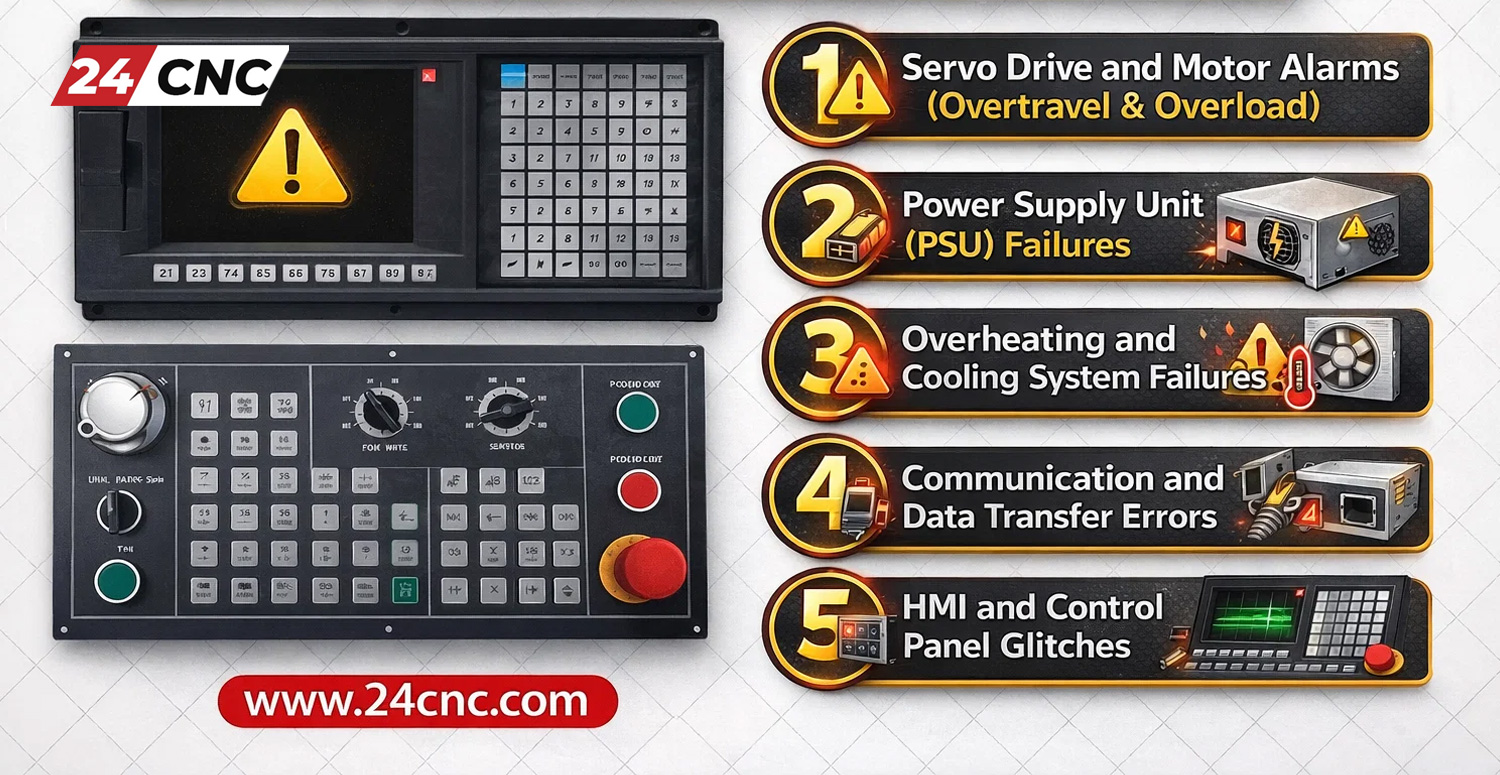
Top 5 Most Common CNC Controller Issues (and Fixes)
1. Servo Drive and Motor Alarms (Overtravel & Overload)
Servo alarms are perhaps the most frequent headaches in CNC machining. An “Overload” alarm typically means the motor is drawing too much current, while an “Overtravel” alarm indicates the axis has moved beyond its software or hardware limits.
Troubleshooting Steps:
- Mechanical Load: Check the axis for mechanical binding. Is the way lubrication sufficient? Is there debris blocking the path?
- Feedback Loop: A faulty rotary encoder can send erratic signals to the controller, causing it to think the motor is moving incorrectly. If the position display jumps or drifts, the encoder or the encoder cable is often the culprit.
- Amplifier Issues: If the motor is cool but the alarm persists, the servo amplifier may have a blown internal transistor (IGBT) or a control circuit failure.
2. Power Supply Unit (PSU) Failures
A CNC controller requires stable DC voltage (usually 24V and 5V) to operate its logic circuits. If the screen is blank or the control won’t boot, look at the power supply first.
What to Check:
- Inspect the power supply unit for LED status lights. A red LED usually indicates a fault.
- Check input voltages. Is the shop power stable?
- Blown Fuses: Check the fuses on the power unit and the input stage. A blown fuse often saves the expensive mainboard from surges, but it blew for a reason—check for short circuits before replacing.
3. Overheating and Cooling System Failures
CNC cabinets are hot environments. Dust, oil mist, and heat are the enemies of electronics. Overheating alarms often trigger during long production runs in the summer.
The Fix: Ensure the cabinet cooling fans are operational. If a fan on a specific drive (like a Fanuc drive) fails, the drive will trigger a heat alarm to protect itself. Regularly cleaning the heat sinks and replacing worn-out fans is cheap insurance against drive failure.
4. Communication and Data Transfer Errors
Modern CNCs rely heavily on fast data transfer between the CNC, the PLC, and the drives. Fiber optic communication allows for high speed but introduces fragility.
- Optical Cables: If you are seeing communication alarms (often “Ring Error” on Fanuc systems), inspect your optical cables. These cables cannot be bent sharply; a kink can break the glass fiber inside.
- I/O Modules: If specific switches or sensors aren’t registering, the issue might lie in the I/O module connecting the peripheral devices to the main CPU.
5. HMI and Control Panel Glitches
Sometimes the machine runs fine, but you can’t input data or see the screen. Cracked screens or unresponsive keys are common wear-and-tear items.
If the display is dim or flickering, the backlight on the LCD panel may be failing. If buttons require hard pressing to register, the membrane keyboard likely needs replacement. These are relatively easy fixes that restore the “feel” of a new machine.

Brand-Specific Troubleshooting: Fanuc vs. Siemens vs. Mitsubishi
While the physics of machining doesn’t change, the language of the controller does. Here is how to approach the giants of the industry.
Decoding Fanuc Error Codes
Fanuc systems are known for their reliability but also their cryptic codes. A Fanuc controller often displays codes like “401 Servo Alarm” (VRDY Off). This usually means the drive isn’t ready. This could be a lack of 100V input to the drive or a loose drive-side connector.
Siemens Sinumerik Diagnostics
The Siemens controller ecosystem is powerful. Use the “Diagnostics” button on the panel. The diagnostic buffer creates a time-stamped log of events. Look for “Drive Faults” which often point to the motor or the specific power module.
Mitsubishi Magic
Mitsubishi controls often use 7-segment LED displays on the drives themselves. A generic alarm on the screen might just say “Servo Error,” but the physical drive inside the cabinet will display “32” (Overcurrent) or “10” (Undervoltage). Always check the physical Mitsubishi drive display for the real story.
Technical Comparison: Common Error Indicators
| Error Type | Fanuc Indicator | Siemens Indicator | Mitsubishi Indicator | Likely Culprit |
|---|---|---|---|---|
| Battery Low | APC Alarm 300/306 | Alarm 2100/2101 | System Error 9F | Absolute Pulse Coder Battery |
| Servo Overheat | Alarm 400 / HC LED | Alarm 25000 | Display ’46’ | Cooling Fan or Motor Load |
| Communication | Alarm 900+ (FSSB) | Bus Error / Profibus | Abnormal Communication | Optical Cable or I/O Board |
| Spindle Error | Alarm 749 / 750 | Axis Spindle Fault | AL. 20 (Motor side) | Sensor or Inverter IGBT |

Hardware vs. Software: Isolating the Problem
One of the biggest challenges is determining if an alarm is a hardware failure or a parameter/software glitch.
Checking the Peripherals
Before ordering a mainboard, check the “cheap” items. Is the handwheel (MPG) functioning? Sometimes a stuck button on a handwheel unit can lock up the system, making it look like a controller freeze. Similarly, check the switches on the panel. A stuck cycle start or feed hold button can mimic software errors.
Memory and Cards
If you are experiencing random crashes or “Parity Errors,” your memory card might be corrupt. Whether you use a PCMCIA adapter or a Compact Flash (CF) card for program transfer, try formatting the card or replacing the adapter to rule out data corruption.
Frequently Asked Questions (FAQ)
How do I reset a battery alarm on a Fanuc CNC?
Battery alarms (like APC 300) mean the backup battery for the absolute position encoder is low. Do not turn off the machine power completely while replacing these batteries, or you will lose the machine’s home position. Replace the batteries (usually located on the Fanuc motor pulse coder or the servo amplifier unit) while the machine is powered on.
My CNC monitor is black, but the machine turns on. What is wrong?
This is often a backlight failure or a loose video cable. If you can see a very faint image when shining a flashlight on the screen, the backlight inverter or the LCD panel itself needs replacement. If there is no image at all, check the power cables going to the screen unit.
What causes a “Servo Lag” or “Following Error”?
This error occurs when the actual position of the motor lags behind the commanded position from the controller. This is frequently caused by excessive friction (lack of lubrication), a heavy cut, or a worn-out servo motor that has lost torque. It can also be a tuning issue in the drive parameters.
Need Replacement CNC Parts Fast?
Don’t let controller errors stall your production line. From Fanuc servo amplifiers to Siemens control panels and hard-to-find cables, we have the inventory to get you back up and running.
Leave a comment
Your email address will not be published. Required fields are marked *